Tenovos Connect roles
Roles in Tenovos Connect grant users role-based access to different features within Tenovos Connect. Any Tenovos user with the User Management role privilege can assign users to one of four standard roles:
- Administrator. Users with the Administrator role have full access within all areas of the Tenovos Connect platform. This role has the highest level of permissions and should be given to system and integration administrators.
- Connector Engineer. The Connector Engineer role is for users who will build and test custom application connectors within Tenovos Connect. This role provides users with full access to the tools needed to build and test custom connectors. It also allows them to create, view and edit permissions for recipes, and manage integration components including recipes, connectors, projects, and folders.
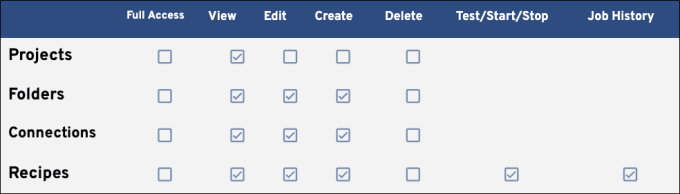
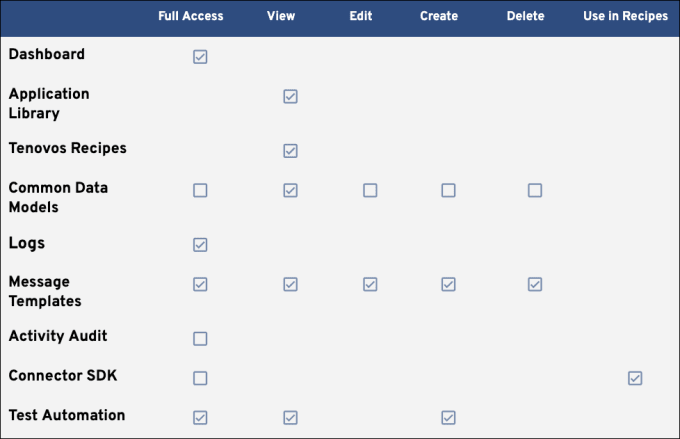
- Recipe Builder. The Recipe Builder role is for users in a position similar to that of a solutions architect. This role mainly manages integrations and therefore has create, view, and edit permissions. Full access is also given to the tools needed to build, test, deploy, and monitor recipes.
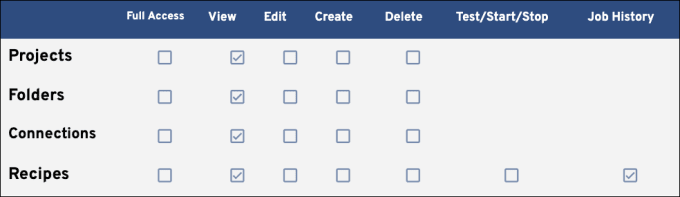
- View Only. The View Only role has the lowest level of permissions. It is for users who only need to view integration details such as projects, folders, and history. Users with this role can access the Tenovos Connect dashboard to review integration activity over a specified period of time, task consumption, and active connects. They have read-only access to all Tenovos Connect tools.
Administrator role permissions
Recipe development
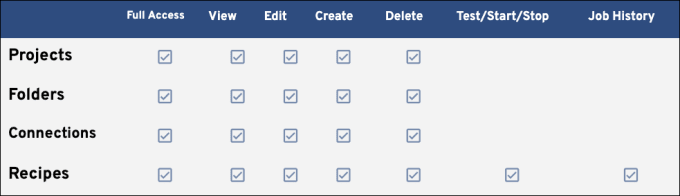
Connect tools
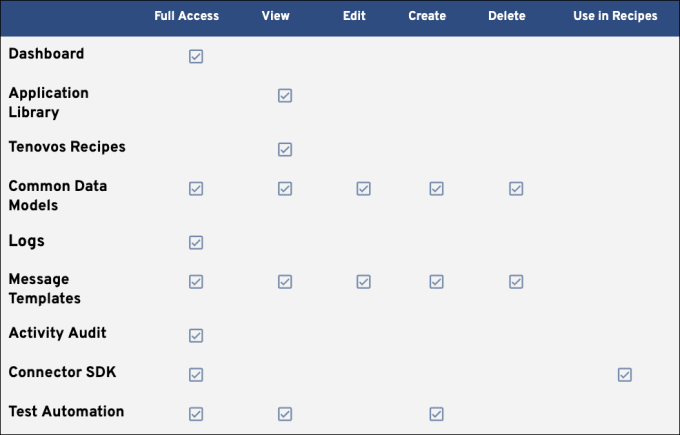
Data storage

Connector Engineer role permissions
Recipe development
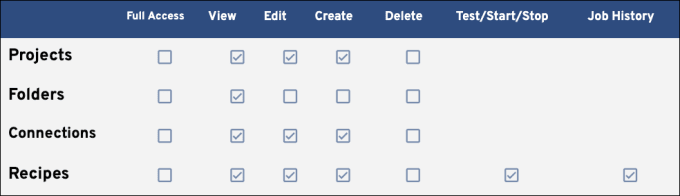
Connect tools
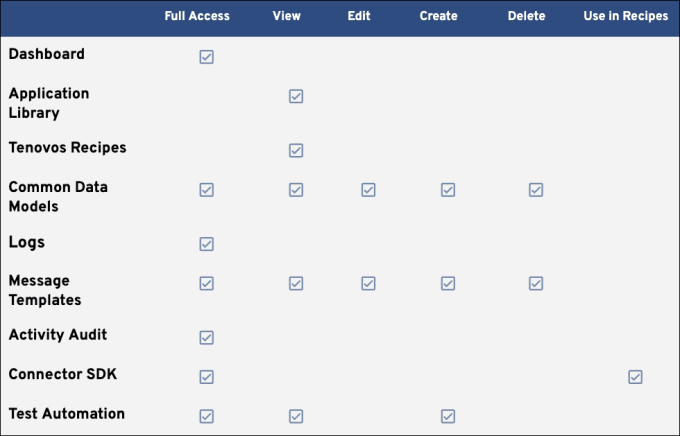
Data storage

Recipe Builder role permissions
Recipe development
Recipe Builder Connect tools
Data storage

View Only role permissions
Recipe development
Connect tools

Data storage
