Product Update
Production: February 20, 2025
This Product Update provides a summary of changes and enhancements to the existing application that impact all customers. When applicable, it includes changes to functionality that were made to resolve customer-specific issues and that apply to all Tenovos users.
Unless otherwise stated, the availability of each update is as follows:
- UAT: February 18, 2025
- Production: February 20, 2025
- Availability: All Enterprise DAM customers
Collections
Availability: All Enterprise DAM customers
Collection Previews
Customers can now set an asset within a collection as the collection's preview. To do so, users can click into the collection, identify the asset they wish to set as the preview, expand the asset's kabob menu and select 'Set as Collection Preview'.
Featured Collections
Introducing Featured Collections, the enhanced way for system administrators to promote curated collections on a user's home page.
How does it work?
- Users can feature a single collection by clicking 'Feature Collection' in the collection's kabob menu, seen in the image below.
- Collections can also be featured in bulk by selecting multiple collections and clicking the 'Feature Collections' button on the top right hand side of the collection gallery.
- Customers may have up to 100 Featured Collections. Only Shared Collections may be featured. Support to make Private Collections featured will be coming at a later date.
Who can feature a collection?
- Featuring a collection can be performed by a user who has access to view the collection and whose role contains the 'Configurations Management' role privilege.
How do I configure the order which my Featured Collections display on the home page?
-
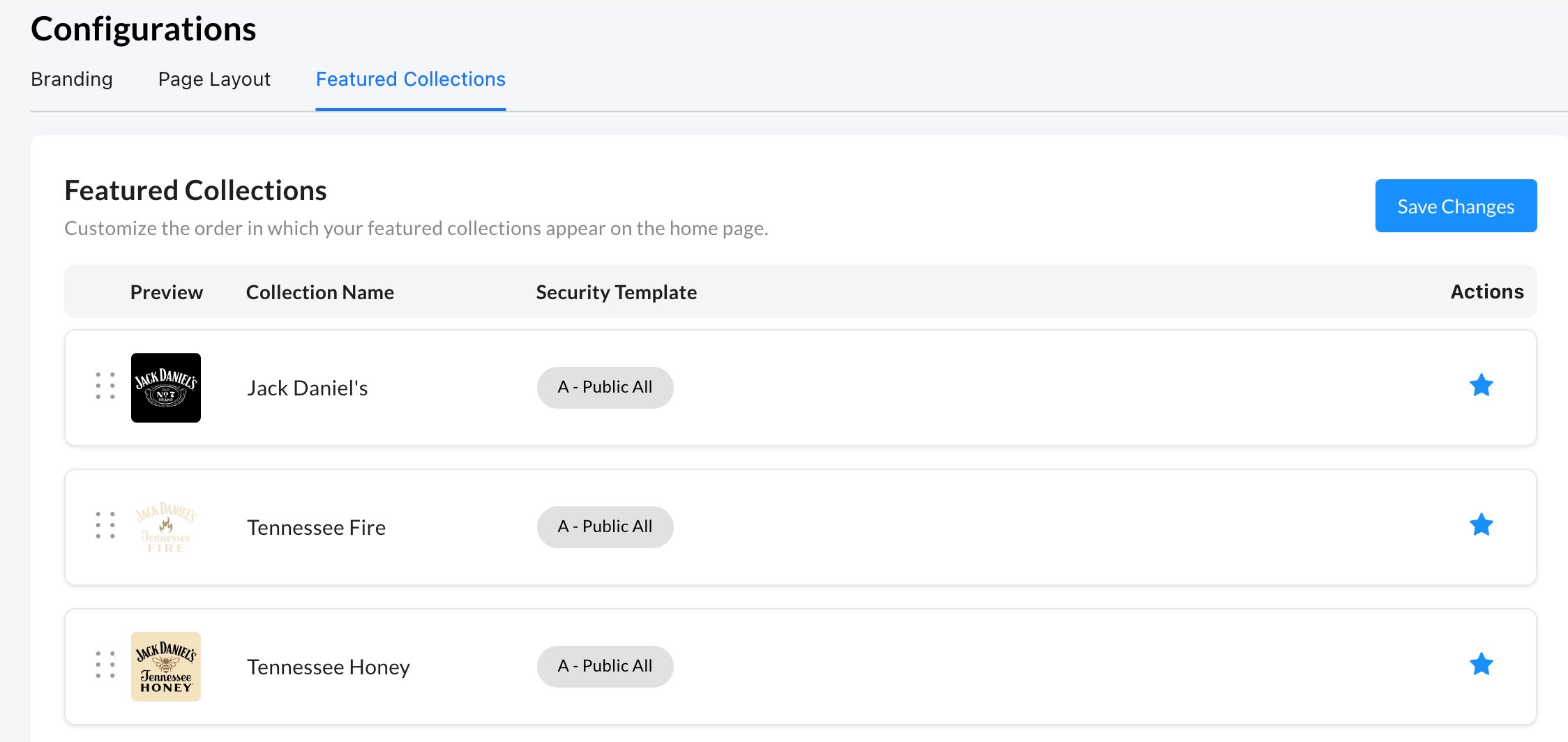
Once collections have been marked as featured, the Featured Collections page, located in Admin > Configurations > Featured Collections, will allow you to reorder the collections in the order you want them to be seen on the home page. You can also 'Un-Feature' a collection by clicking the blue star on the right side of the collection card. Featured Collection order can be set by users whose role contains the 'Configurations Management' role privilege.
What does this mean for Collection Priority?
- Featured Collections are being introduced as a replacement to Collection Priority. Users will not need to manually re-order their collections based on priority as the migration from Collection Priority to Featured Collections will be handled as part of the Featured Collections deployment.
Note: In the coming weeks, the Collection Priority attribute will be removed from all collections
[BETA] Home Page
Availability: All Enterprise DAM customers as a Beta feature
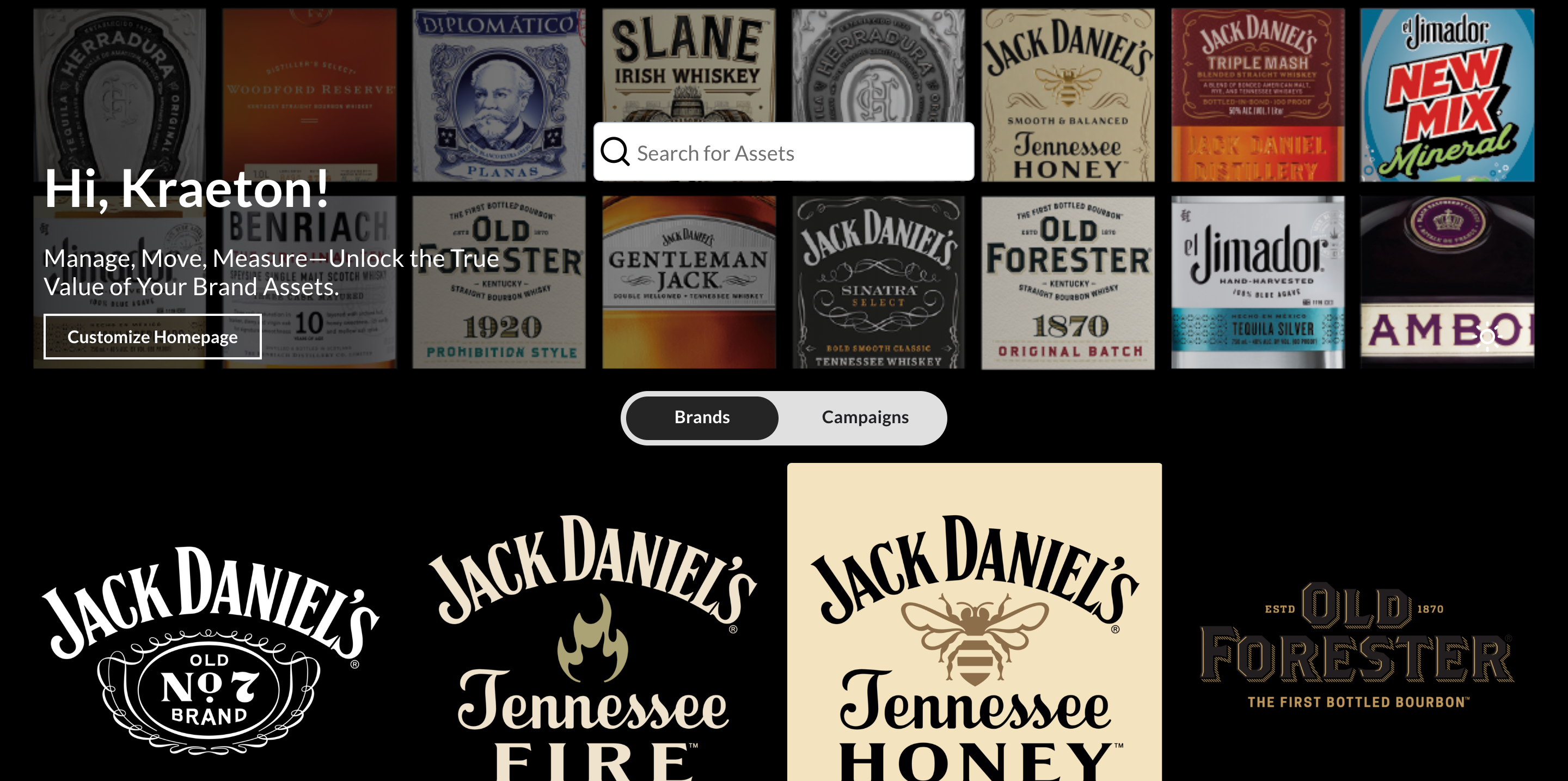
We’re excited to unveil the all-new Tenovos Home Page, designed to provide a modern, fully configurable experience tailored to the unique needs of every user.
With this update, Administrators now have complete control over the Home Page layout, ensuring that different users—based on their role—see a personalized experience that best supports their workflows.
Key Features & Customization Options:
- Tile Size Control - Adjust the size of content tiles to optimize the browsing experience. Configure tile sizes for Collections and Tiles independently to provide flexible layouts for different tile types.
- Welcome Message Customization - Display a personalized welcome message for users based on Role, reinforcing brand identity.
- Color Theme Selection – Enable light or dark mode to suit user preferences and enhance accessibility.
- Banner Image Management – Set custom banners to highlight key content or announcements.
- Search Display Control – Decide whether to include the global search bar on the Home Page for specific user roles.
- Expanded Collection Visibility – Now, users can see up to 100 collections on their Home Page, a significant upgrade from the previous limit of six.
This new Home Page experience represents Tenovos’ commitment to delivering a modern, data-first DAM, ensuring that users get a personalized, efficient, and visually engaging way to manage and discover content.
Ready to explore the new experience? Contact your Tenovos Administrator to learn more about configuring your Home Page today! 🚀
Enhancements and Quality Improvements
-
Resolved an issue where elements at the bottom of the 'Webhooks' admin screen were getting cut off.
-
Resolved an issue where assets were not previewing correctly on the asset details page.
-
Resolved an issue where users could not scrub through a video asset timeline if that asset contained an asset badge.